What Is a Free Gift with Purchase on Shopify?
A free gift with purchase on Shopify gives a customer an extra product at no charge once their order meets a rule you set. The rule can be product-based ("buy this serum, get a travel pouch") or spend-based ("spend $75, get a sample set"). The gift is a reward for behavior you want more of, not a markdown on the item they already planned to buy.
This is why gifts often feel different from discounts. A shopper who sees "$10 off" thinks about price. A shopper who sees "free gift included" thinks about getting more value, and your headline price stays intact.
The three most common gift triggers
- Product trigger: the gift unlocks when a specific product or collection is in the cart.
- Spend trigger: the gift unlocks at a cart subtotal, for example $60 or $100.
- Quantity trigger: the gift unlocks when the cart holds a set number of items.
Pick the trigger that matches your goal. If you want shoppers to try a hero product, use a product trigger. If your goal is a bigger basket overall, a spend trigger is usually the better fit.
How a gift differs from a BOGO or bundle
A gift is usually a different, lower-cost item added to the order. A Shopify BOGO discount typically discounts a second unit of the same or a related product, which changes the economics. A bundle sells several products together at one price. All three raise order value, but they protect margin in different ways, so choose based on what you can afford to give away.
How to Set Up a Shopify Free Gift Offer
Before you touch any settings, decide the economics. A gift that costs more than the extra profit it generates is a loss, however popular it is. Work through the planning steps first, then build.
Step 1: Define the rule and the math
Start with your current average order value and your gross margin. Set a spend threshold slightly above your typical order so it nudges shoppers upward without feeling out of reach. As an illustration only, if most carts land near $55, a $70 threshold gives a visible but achievable goal.
Then calculate the full gift cost: product cost, packaging, any added shipping weight, and fulfillment handling. Compare that to the margin on the extra spend you expect to unlock.
Step 2: Choose the gift wisely
The best gifts share a few traits:
- Low cost, high perceived value: samples, travel sizes, accessories, or small add-ons.
- Relevant to the purchase: a gift that complements the main item feels thoughtful, not random.
- Easy to ship: light and non-fragile gifts avoid surprise shipping costs.
- Not a core seller: avoid giving away something shoppers would otherwise buy at full price.
Step 3: Create the gift product
Add the gift as a product in your Shopify admin so inventory is tracked. Give it a clear title, such as "Free Travel Pouch," and a real image. Many stores hide gift products from collections and search so shoppers cannot buy them separately. Track stock carefully, because an out-of-stock gift can break the offer and frustrate customers.
Step 4: Build the offer logic
Shopify's built-in discounts include a Buy X Get Y type, which can set the gift item to 100% off when a customer buys a qualifying product. This works well for product-based gifts. Spend-based gifts that are added to the cart automatically usually need either a gift-focused app or theme customization, since the native tools are designed around discounts, not around inserting items into the cart. Check your admin for current options and limits, since these evolve.
Whichever route you take, set clear rules for:
- Eligible products or collections.
- Minimum spend or quantity.
- How many gifts one order can receive.
- Start and end dates, if the offer is seasonal.
- Whether the gift can combine with other discounts and free shipping.
Step 5: Make the offer visible where decisions happen
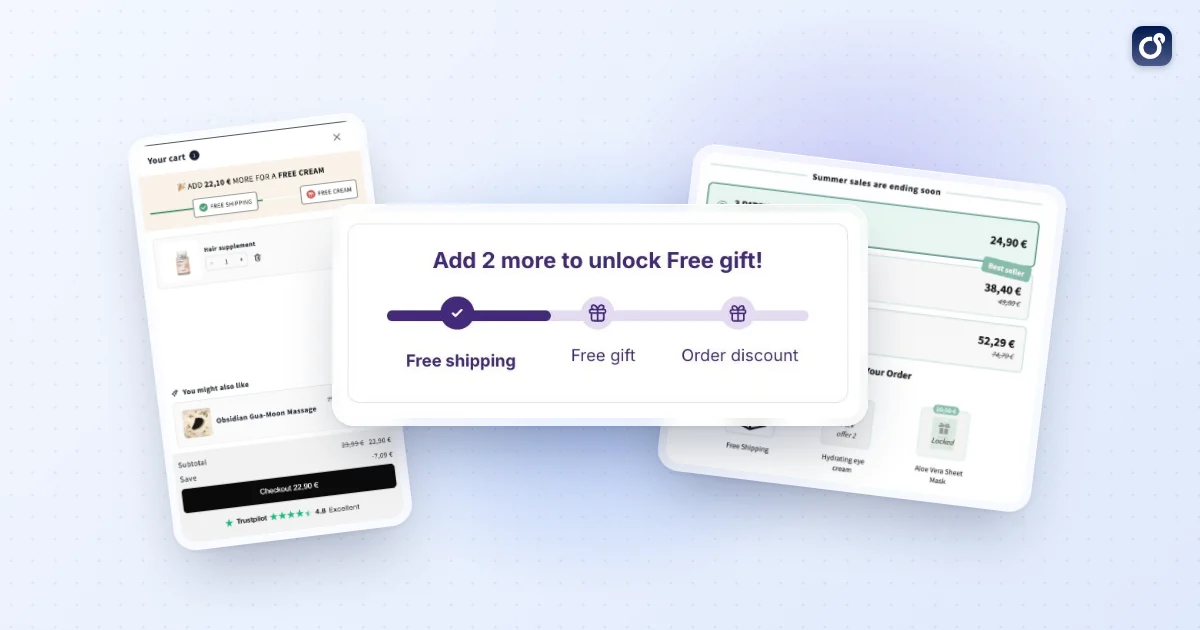
An offer nobody notices cannot change behavior. Mention it in an announcement bar, on relevant product pages, and in the cart. The Shopify cart drawer is a strong placement because shoppers can see what is in their cart, how close they are to the threshold, and whether the gift has been added. A progress message such as "Add $14 more to unlock your free gift" turns a vague promotion into a concrete goal. The same logic powers a free shipping progress bar, and the two work best when they share one visual goal.
Step 6: Test the full journey
Place test orders on mobile and desktop. Confirm that the gift appears at the right threshold, disappears if the shopper removes qualifying items, and shows at $0 in checkout. Check how the offer behaves with a discount code and with free shipping. Most gift complaints come from edge cases nobody tested.
Should You Use a Discount Code or an Automatic Gift?
This is the question behind many forum threads: can a customer enter a discount code and have a free gift appear in their cart? A discount code on its own applies a price reduction. It does not usually insert a product. So with a code-based Buy X Get Y setup, the gift generally needs to be in the cart already for the code to make it free.
That distinction drives the whole decision. The right method depends on how much friction you want and how much control you need over who receives the gift.
| Factor | Discount code | Automatic gift |
|---|---|---|
| Shopper effort | Must enter or copy the code | None, gift applies on its own |
| Gift added to cart | Often manual, shopper adds it | Can be added automatically with the right setup |
| Audience control | High, share with email lists or partners | Broad, applies to every eligible cart |
| Risk of confusion | Higher, typos and missed steps | Lower, if messaging is clear |
| Best for | Targeted campaigns, VIPs, influencer traffic | Sitewide promotions and AOV goals |
When a discount code makes sense
Use a code when you want the gift limited to a segment: newsletter subscribers, a loyalty tier, or traffic from a specific partner. Codes also give you attribution, because you can see exactly how many orders used them. The trade-off is friction, since shoppers who forget the code or mistype it may abandon.
When an automatic gift is better
Choose automatic when your priority is a higher basket value for everyone. The shopper sees the reward, adds a bit more, and receives the gift without extra steps. Because there is no code field to fumble, it generally suits conversion goals better than a code does.
Combining gifts, discounts, and free shipping
Shoppers will often stack incentives if your settings allow it. A gift plus a percentage discount plus free shipping can erode margin fast. Decide on purpose which combinations are allowed, and test each one in a real checkout. Shopify provides discount combination settings, so review them for every offer you run. If you already use a shipping threshold, align the gift threshold with it so the two rewards feel like one clear goal rather than two competing ones. The guide to the Shopify free shipping threshold covers how to set that number.
How to Measure the Impact of a Free Gift Offer
A gift campaign that "feels busy" is not necessarily profitable. Measure it against a baseline so you can separate real lift from normal fluctuation.
Core metrics to track
- Conversion rate: does the offer help more visitors complete checkout?
- Average order value: do orders grow, and do they cluster just above the threshold?
- Gift attach rate: what share of orders qualifies for and receives the gift?
- Profit per order: revenue minus product cost, gift cost, shipping, and fees.
- Return and refund rate: do gift-driven orders come back more often?
- Repeat purchase rate: do gift recipients return, or was this a one-time grab?
If you are new to the metric, the guide to Shopify average order value explains how to calculate it and how it fits into wider store performance.
Read the distribution, not just the average
An average can hide what is happening. Look at how many orders sit just above your threshold compared with before the campaign. A visible cluster just over the line is a good sign that the offer is changing behavior. If the average rises only because a few large orders came through, the gift may not be doing the work.
Run a clean comparison
The most reliable approach is a controlled test: show the offer to part of your traffic and hold it back from the rest. If you cannot split traffic, compare matching periods and note any other changes, such as ad spend shifts, email sends, or seasonal peaks. Run the test long enough to cover full weekly cycles, and avoid changing the threshold mid-test.
Decide with a simple rule
Set your success criteria before launch. For example: keep the offer if profit per order after gift costs is higher than the baseline and return rates stay stable. If the numbers fall short, adjust one variable at a time: threshold, gift choice, or placement. Changing everything at once leaves you with no idea what worked.
How to Choose Tools for Gifts and Related Cart Offers
You can run a basic gift offer with native Shopify discounts. As your promotions grow more complex, tooling matters more. Evaluate any tool against the rules you actually need rather than a long feature list.
Questions to ask before you commit
- Can it add the gift to the cart automatically, or must the shopper do it?
- Does it support both product-based and spend-based triggers?
- Can shoppers see progress toward the reward in the cart?
- How does it handle conflicts with other discounts and shipping rules?
- Does the discount carry cleanly through to checkout?
- Can you schedule campaigns and limit them to certain products or collections?
- Does it report revenue, AOV, and conversion per campaign?
- Will it slow down your storefront?
Think in terms of a connected cart experience
Gifts rarely work alone. A shopper who reaches a gift threshold may also respond to a relevant add-on in the cart, a quantity discount, or an offer after checkout. If each of these runs in a separate tool with separate rules, they can clash or confuse buyers. A coordinated setup, where offers share logic and presentation, usually produces a cleaner experience.
How Moon Bundles handles free gifts
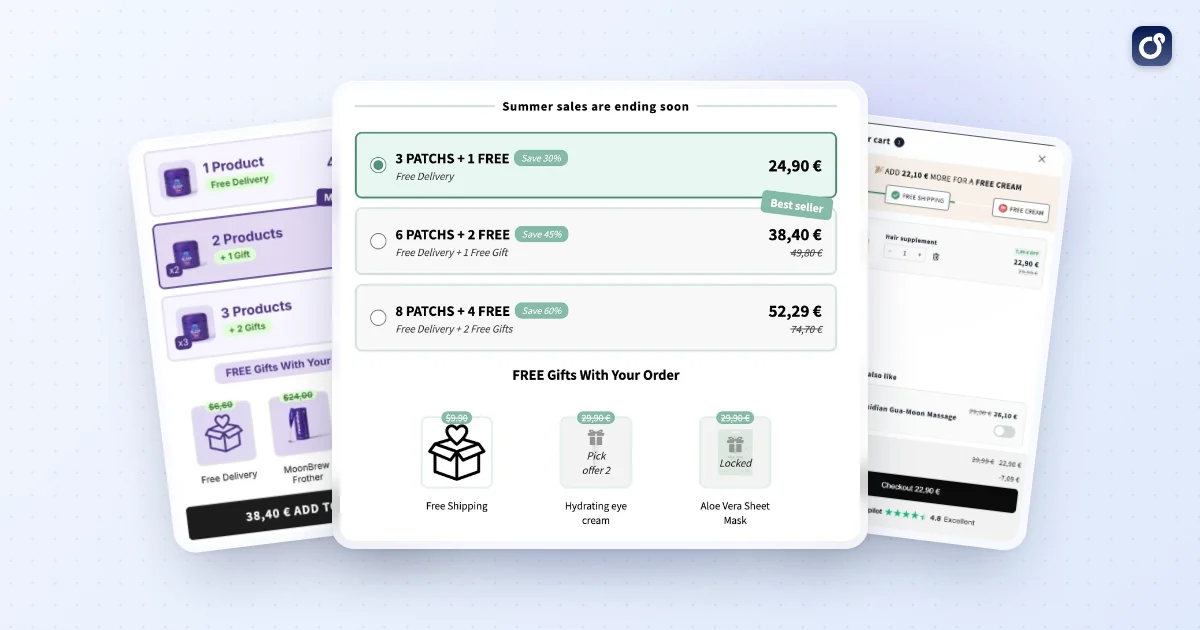
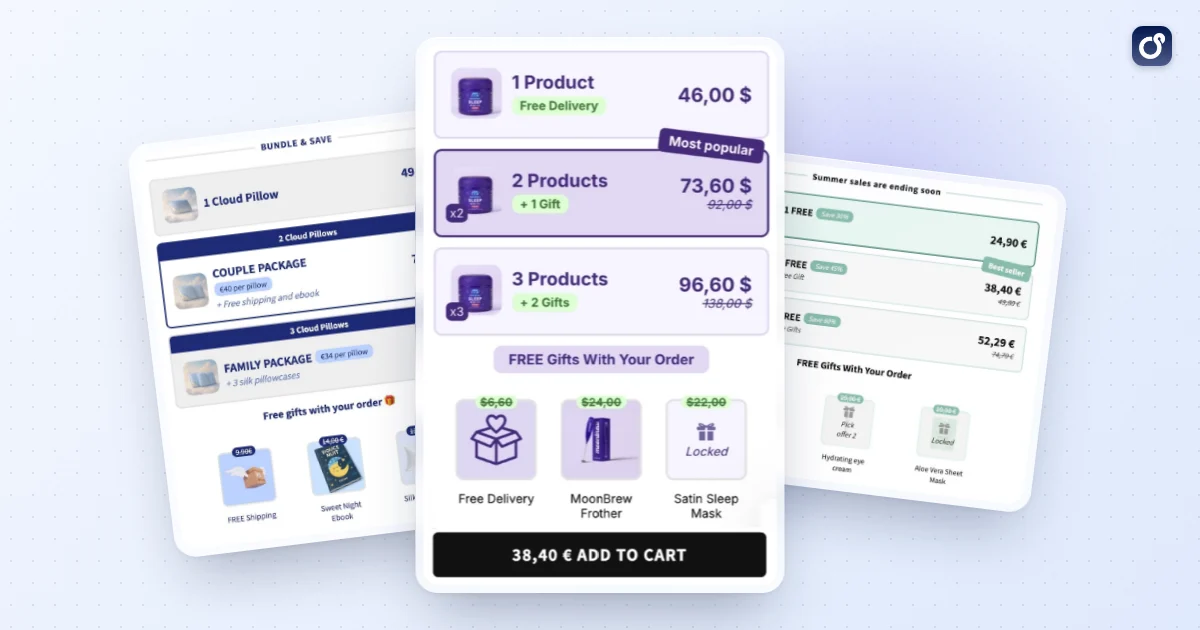
Moon Bundles has a free gifts module built around a live progress bar in the cart. You set the tiers: free shipping at one threshold, a gift at the next, an order discount above, with up to two free gifts per cart. The bar shows the shopper how far they are from the next reward in their own currency. It renders as a Shopify app extension, so it follows your theme on Online Store 2.0 stores, and you can A/B test two threshold ladders and keep the one that earns more revenue per visitor.
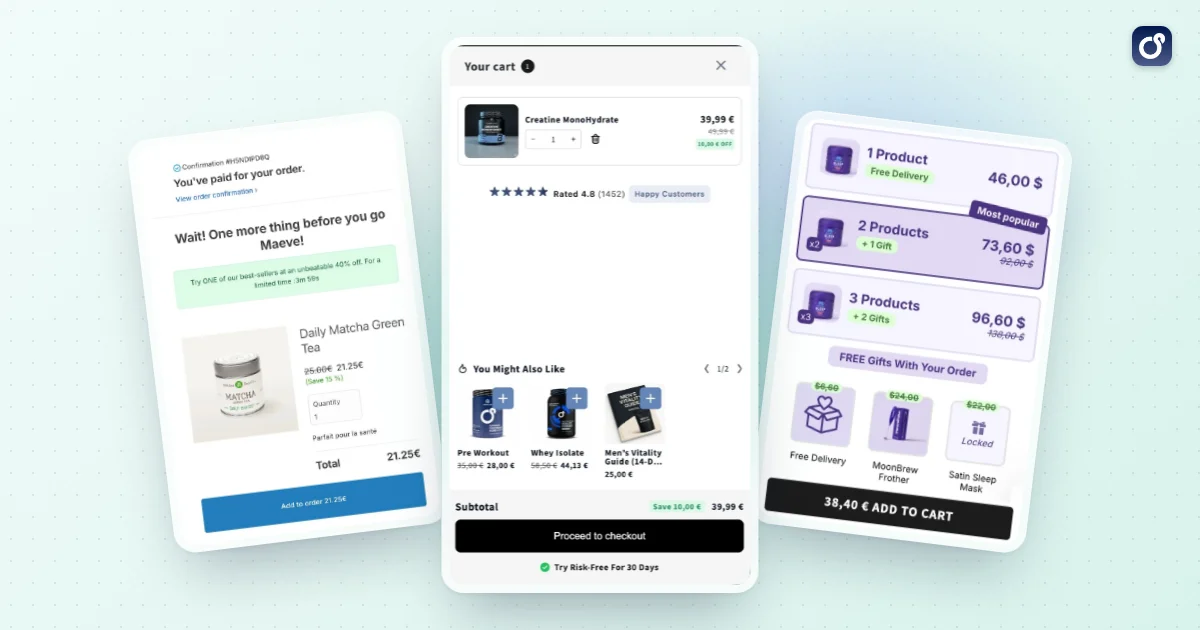
The same app also covers bundles, volume discounts and a cart drawer with post-purchase offers, so a gift can sit on top of a quantity break without a second tool. There is a free plan with one module of your choice; every paid plan includes all four modules and A/B testing, with a 7 day free trial (see pricing). The AI assistant and the MCP connector, which lets you work with Moon Bundles from assistants such as Claude, ChatGPT or Gemini, come with every plan. If you want to go further, the AI agents follow your offers' results and prepare the next tests.
A gift ladder is not the right tool for every store, though. If you only want a single free item on one product, Shopify's native Buy X Get Y discount is enough and costs nothing extra.
Start small and expand
Launch one clear gift offer, measure it for a few weeks, and only then layer on additional mechanics. A single well-tested offer teaches you more about your customers than five overlapping promotions. Once the gift is working, you can test the next lever, such as a bundle, a volume tier, or a post-purchase add-on, and compare each against the same profit-per-order baseline.
The strongest free gift with purchase programs on Shopify are simple to understand, cheap to deliver, and tied to a goal you can measure. Build the math first, choose code or automatic delivery based on who you want to reach, and let the data decide whether the offer stays.
Frequently asked questions
Can a free gift be added after a customer enters a discount code?
Yes, if your offer rules allow the gift and the discount code to apply to the same order. Check how your setup handles discount combinations, eligibility, and cart updates, since one offer may affect whether another qualifies. Test the code with carts that do and do not meet the gift requirements, and make sure the cart clearly shows whether the gift was added.
What should happen if the free gift goes out of stock?
Set a clear fallback before launching the offer. You could pause the rule, remove the unavailable gift from the offer, or provide a substitute if your store policy permits it. Keep inventory connected to the gift rule where possible, and test what shoppers see when the gift is unavailable. Do not leave customers expecting an item that cannot be fulfilled.
Can customers choose which free gift they receive?
Yes, a gift offer can let shoppers choose from a defined set of eligible items if your setup supports customer selection. Keep the choices relevant to the qualifying purchase, and explain any limits, such as one selection per order or availability by variant. Test the selection flow on mobile and desktop so customers can tell which item they chose before checkout.
How should a free gift be handled when a customer returns an order?
Decide how returns affect the gift and state the policy where shoppers can find it before purchase. For example, clarify whether the gift must be returned with the qualifying items or whether its value may be deducted from a refund, subject to your policies and applicable requirements. Make sure support staff and order workflows follow the same rule to avoid inconsistent outcomes.
How can a store avoid adding more than one free gift to an order?
Define whether the offer grants one gift per order, per qualifying item, or per qualifying quantity, then configure the rule to match. Check how multiple qualifying products, cart edits, and repeated visits affect the gift. Test orders at each threshold and confirm that removing eligible products also updates the gift when appropriate. Clear cart messaging can help prevent misunderstandings.