A Shopify free shipping threshold is a minimum cart value that unlocks free delivery. Below it, shoppers pay for shipping. Above it, they don't. Done well, it nudges customers to add one more item. Done badly, it gives away margin on orders that would have reached that size anyway.
This guide shows how to choose the number, configure it, handle it across markets and use it to raise AOV without hurting conversion. The examples use hypothetical US dollar figures for illustration only. Replace them with your own order and cost data.
How to Calculate a Shopify Free Shipping Threshold
The right number is a business decision, not a rule of thumb. Start with your own data, then test your way to the final figure.
Start with net AOV and the order distribution
Calculate AOV as net revenue divided by orders for the same period. Use revenue after discounts but before shipping and tax. Otherwise a change in shipping fees will look like a change in basket size. For a refresher on measuring it, see this guide to Shopify average order value.
Then look at the spread, not only the mean. Export your orders and group them into price bands such as under $25, $25 to $50, $50 to $75 and so on. A store with a $60 AOV can have most orders clustered at $35 while a few large orders pull the average up. A threshold set near the average would then be out of reach for most buyers.
Check three things in that distribution:
- The median order value. It shows what a typical shopper spends better than the mean does.
- The share of orders just below your candidate threshold. These are the shoppers a small nudge can move.
- The share of orders already above it. These customers will get free shipping with no change in behavior, so they represent pure margin cost.
Know your real shipping cost and margin
Free shipping is not free for you. Pull your average shipping cost per order, including packaging and any carrier surcharges, split by zone if you ship far. Remote destinations and heavier parcels can cost much more than your average.
Then work out gross margin per order at the threshold value. A simple test:
- Take the threshold value and multiply it by your product gross margin.
- Subtract the average shipping cost you will absorb.
- If what remains is thin or negative, the threshold is too low for your economics.
Illustrative example: your threshold is $75, product margin is 40% and shipping costs you $9. Gross profit on a $75 order is $30, and $21 remains after shipping. That is workable. If your margin were 20%, only $6 would remain, and the threshold would need to be higher or the shipping cost lower.
Choose a starting threshold a step above your current AOV, close enough that shoppers see it as one extra item away. The gap should match your typical item price. If your products sell around $20, a $15 gap is easy to cross. If the gap is $60, most shoppers will pay for shipping instead.
| Scenario | Threshold vs. AOV | Likely effect | Main risk |
|---|---|---|---|
| Threshold below AOV | Lower | Most orders qualify automatically | Margin loss with little AOV lift |
| Threshold slightly above AOV | Modestly higher | Encourages one extra item | Needs good product suggestions |
| Threshold far above AOV | Much higher | Few shoppers reach it | Feels unattainable, may add friction |
Treat the first number as a hypothesis. You will refine it with data in the last section.
How to Set Up Free Shipping Thresholds in Shopify
There are two common ways to offer free shipping above a minimum spend. Each suits a different situation. Menu labels in the Shopify admin can change, so check your own admin if a step looks different.
Option 1: A price-based shipping rate
This is the standard approach for an always-on threshold. In your shipping settings, open the shipping profile and zone you want to edit. Add a free rate with a condition based on order price and set your minimum. Then add a paid rate for orders below the minimum, or cap that paid rate so the two never overlap. Customers then see the right option automatically at checkout.
This method works well because the rule lives in your shipping settings, not in a discount code, and it can differ by shipping zone and by shipping profile.
Option 2: A free shipping discount
Alternatively, create a free shipping discount, apply it automatically and add a minimum purchase requirement. This suits temporary promotions or specific customer groups, and it gives you start and end dates so a limited campaign can switch off by itself. Check the combination settings, because stacking it with other discounts may change which carts qualify.
Details that quietly break thresholds
Before launch, test these cases at checkout:
- Discounts and the subtotal. A cart that sits above the threshold before a discount may fall below it after. Decide whether you want that, and test it.
- Excluded products. Items in a separate shipping profile, such as heavy goods or preorders, may not count the way you expect.
- Gift cards and subscriptions. Confirm whether they count toward the minimum.
- Remote destinations. Some regions may cost far more to serve. Give them their own zone and threshold if needed.
Show the threshold before checkout
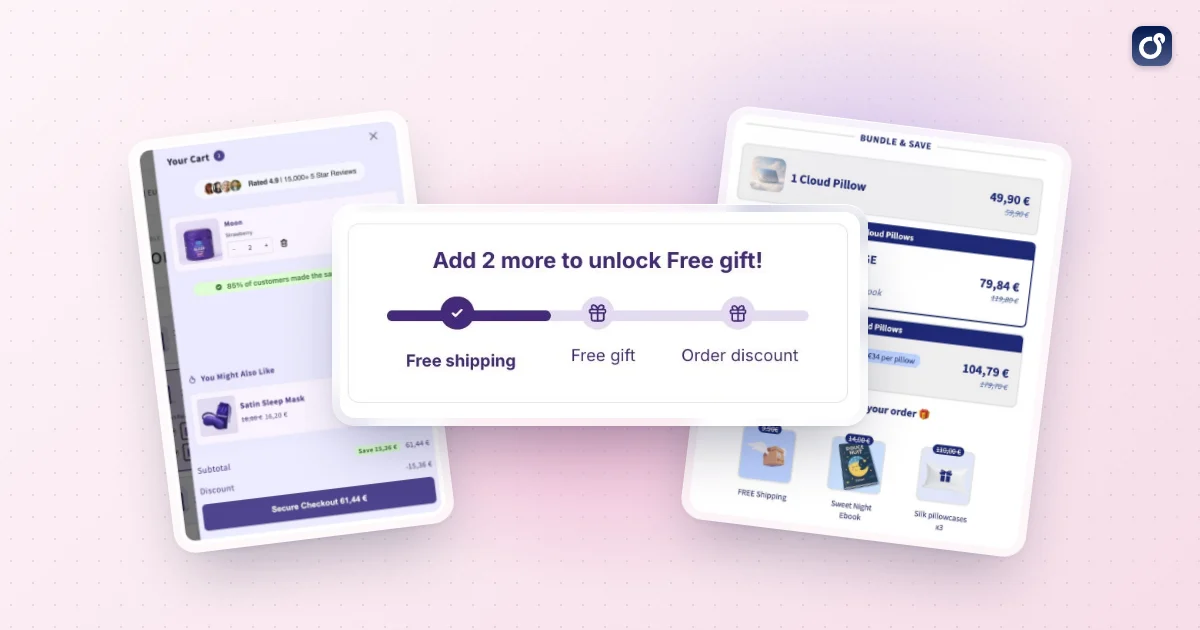
A threshold only changes behavior if shoppers know about it. Announce it in your header or announcement bar, on product pages and in the cart. A progress message such as "You are $12 away from free shipping" works better than a static banner because it turns the threshold into a concrete goal.
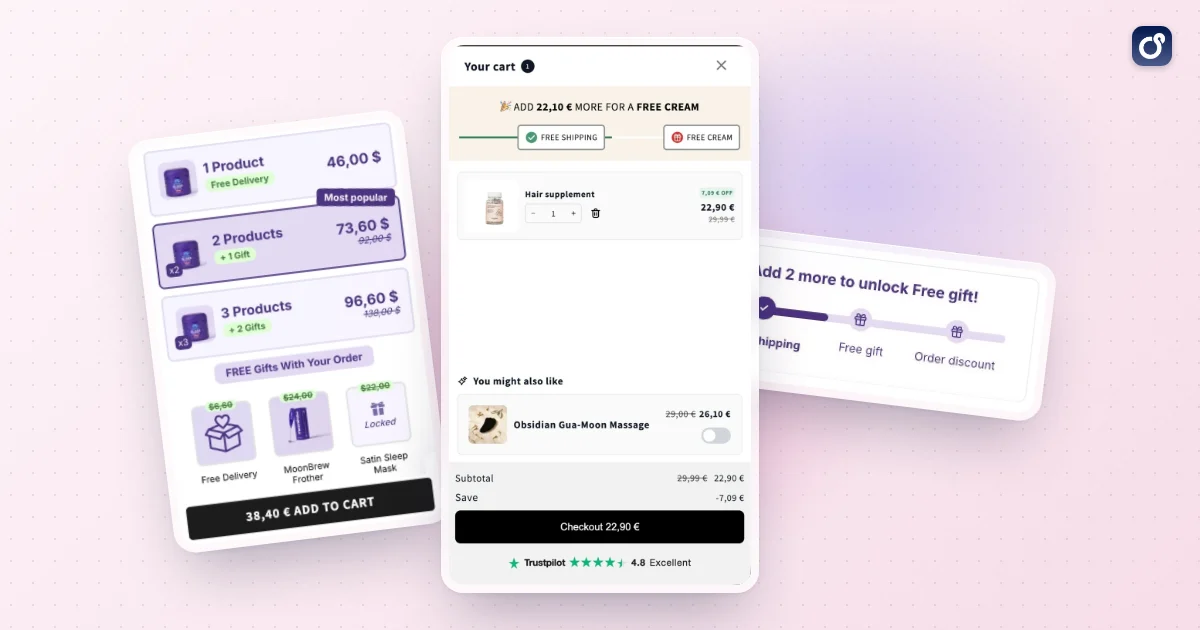
Moon Bundles puts that progress message in its cart drawer, next to cross-sells and inline discount codes, so the message and the products that close the gap sit in the same place. Its free gifts module can also unlock free shipping at one threshold and a gift at the next.
How to Handle Thresholds Across Shopify Markets
If you sell beyond a single country, one threshold rarely fits everywhere. Shipping costs, currencies and shopper expectations differ, and a number built for one country can look odd or lose money elsewhere.
Three issues come up repeatedly:
- Currency conversion. A rounded amount in one currency converts to an awkward number in another.
- Cost differences. Shipping a parcel domestically costs far less than shipping it overseas, so the same threshold gives away very different amounts of margin.
- Mismatched messaging. A banner that says "free shipping over $X" shown to everyone can contradict the rates a customer sees at checkout.
Set a threshold per market and zone
Build your shipping zones around the countries or regions you serve, then set a separate free shipping rate and minimum for each. Domestic orders can have a lower threshold because shipping is cheaper. International zones usually need a higher one, or no free shipping at all if the economics do not work. Aim for thresholds that look natural in the local currency instead of a raw conversion.
Make the message match the market
Your banner, cart message and progress bar should reflect the shopper's market, not a hard-coded amount. If your theme or app cannot do that, hide the message in markets where the threshold differs rather than showing something wrong.
Then test the full flow. Use a test cart in each market, switch the country and currency, and check the following:
- The banner shows the correct amount in the right currency.
- The cart progress bar uses the same amount.
- Checkout offers free shipping at exactly the point you promised.
- Paid rates below the threshold look reasonable.
Repeat this check whenever you change prices, add a market or adjust rounding.
Use the Threshold to Improve AOV Without Hurting Conversion
A threshold is a lever, not a finished strategy. The goal is a higher order value with stable or better conversion, so measure both together.
Help shoppers close the gap
The shopper who is $10 short needs an easy way to cross the line. Suggest low-friction add-ons priced near the gap: accessories, refills, small sizes or complementary items. Showing them in the cart, where the progress message appears, keeps the decision in one place.
Bundles are another natural fit. A set of complementary products priced slightly below the sum of its parts lifts the cart toward the threshold while feeling like a good deal. If you are new to this, read how to bundle products on Shopify. Volume discounts, such as a better price for two or three units, work the same way.
After checkout, a one-click post-purchase offer can add value without delaying the order. Because the shipping decision has already been made, think about whether the add-on ships with the original order or separately, since that affects your costs.
Protect conversion while you test
Raising AOV is pointless if fewer people buy. Watch conversion rate, cart abandonment and checkout completion alongside AOV. A threshold that is too high can push shoppers to leave, while one that is too low gives away margin. For wider tactics on keeping checkout friction low, see this guide on how to increase conversion rate on Shopify.
Run changes one at a time. If you change the threshold, the banner copy and the cart layout together, you will not know which one moved the numbers. Keep each test long enough to cover your normal buying cycle, including weekdays and weekends.
Measure what matters
Track these metrics before and after each change:
- AOV, using net revenue before shipping and tax.
- Share of orders at or just above the threshold. A visible cluster suggests shoppers are adding items to qualify.
- Conversion rate and cart abandonment.
- Shipping cost as a percentage of revenue.
- Profit per order after shipping. This is the number that decides whether the threshold works.
A healthy result shows AOV rising, shipping cost per order staying under control and conversion holding steady. If AOV rises but profit per order falls, raise the threshold, restrict the offer to specific zones or lower your shipping costs.
Your threshold should also change as your store does. New products, price changes, carrier rate increases and seasonal demand all shift the economics, so review it on a regular schedule. The best Shopify free shipping threshold is the one you keep measuring: a number grounded in your own order data, shown clearly to shoppers, and adjusted when your costs or your customers change.
Frequently asked questions
Can a Shopify store charge for shipping below its free shipping threshold?
Yes. A store can offer paid shipping options for orders below the threshold and a free option for qualifying orders. Make sure the available rates are clear before checkout, and test carts just below and at the threshold to confirm customers see the intended choices.
Can I exclude specific products from a Shopify free shipping threshold?
You can set different shipping rules for products or product groups, but exclusions get complicated when a cart contains both eligible and excluded items. Check how your shipping setup handles mixed carts before publishing the rule, and state which products are excluded.
Do discounts count toward a Shopify free shipping threshold?
It depends on how your shipping rule and discounts are configured, so do not assume the pre-discount cart value determines eligibility. Test a qualifying cart with each discount type you offer, then describe the qualifying order value consistently in your cart messaging and shipping policy.
What happens to free shipping if a customer returns part of an order?
A partial return may leave the retained order value below the threshold, but the handling depends on your stated policy and applicable consumer rules. Decide in advance whether you will deduct the original shipping cost from the refund, and explain that approach before purchase.
How should I explain exclusions from a Shopify free shipping threshold?
Put the key conditions near the shipping message and repeat the complete terms in your shipping policy. Say which products, destinations or shipping methods are excluded and whether the threshold uses the order value before or after discounts, then test representative carts to catch contradictory messages.