A Shopify cart upsell catches shoppers at a rare moment: they have already decided to buy, and they are still on your store. That makes the cart one of the most efficient places to raise order value without buying more traffic.
This guide explains what cart upsells are, where to place them, which offers suit which products, how to measure results honestly, and how to launch your first test.
What Is a Shopify Cart Upsell?
A Shopify cart upsell is any product suggestion or incentive shown in the cart that encourages the shopper to spend more or buy a better version of what they already chose. It appears after the add-to-cart click and before payment, so the shopper's intent is already high.
Upsell, cross-sell, and add-on: the practical difference
The terms are often mixed up, and the distinction matters when you design offers.
- Upsell: a higher-value version of the item in the cart, such as a larger size, a premium edition, or a multi-pack.
- Cross-sell: a complementary product that goes with the cart item, such as a case for a phone or a conditioner with a shampoo.
- Add-on: a small, low-friction extra, such as gift wrap, a warranty, or a sample.
- Threshold reward: an incentive unlocked at a spend level, such as free shipping or a free gift.
In daily practice, most stores mix all four under the label "cart upsell." What matters is that every offer feels like a helpful next step and not a distraction from checking out.
Why the cart is a strong moment for offers
On a product page, shoppers are still comparing options. In the cart, they are confirming a decision. A well-chosen offer fits that mindset because it asks for a small extension of a purchase already underway, not a new decision.
The cart is also where hesitation shows up. A cluttered or pushy offer can raise abandonment, so relevance and restraint matter as much as the offer itself.
How cart upsells connect to AOV
Cart offers raise order value in two ways: they add items to the order, and they increase the price of items already chosen. To judge the effect, you need a clear baseline, so it helps to understand Shopify average order value and how it is calculated before you change anything.
Where Should You Place Cart Upsell Offers?
Placement shapes both visibility and friction. A great offer in the wrong spot is ignored, and a good spot with too many offers overwhelms the shopper. Most Shopify stores can choose among three cart surfaces.
Slide-out cart drawer
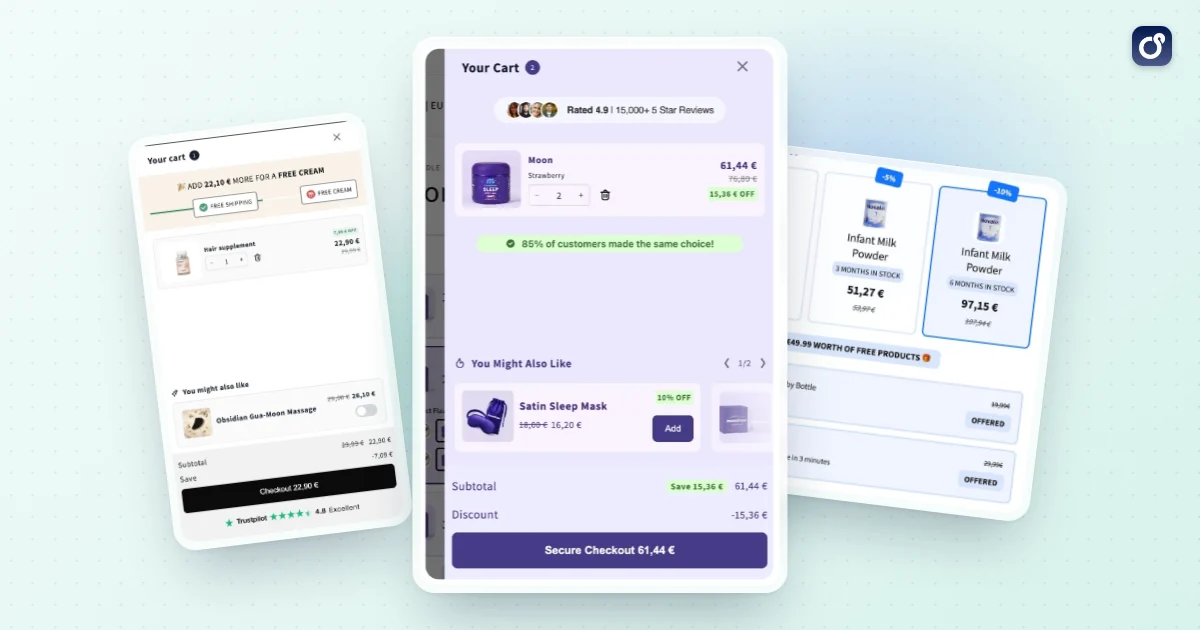
A drawer opens right after the shopper clicks add to cart, so they never leave the product page. It is ideal for compact offers: one recommended product, a progress bar, or a quick add-on. If you are deciding whether to use one, the guide to the Shopify cart drawer covers the surrounding setup and design choices.
Space is limited, so show one or two offers at most. Put the most relevant one above the checkout button, and keep the checkout button visible at all times.
Full cart page
The cart page has more room. It suits stores with larger baskets, shoppers who review items carefully, or offers that need a little explanation, such as a bundle upgrade with a comparison.
- Use a recommendation row below the line items.
- Show a progress message near the order summary.
- Keep the offer visually separate from the checkout button so it does not look like a required step.
Below the line items versus beside the summary
Inside either surface, position changes behavior. An offer directly under the cart items is seen by nearly everyone scrolling to checkout. An offer next to the order total reads as part of the final decision, which suits threshold messages and small add-ons.
Avoid placing several competing offers at once. If a shopper must choose between a free-shipping bar, a gift, three recommendations, and a warranty, the likely result is no action at all.
Mobile considerations
Many shoppers browse on phones, so test offers on a small screen first. Check that images load quickly, that the add button is large enough to tap, and that the offer does not push the checkout button out of view. If the checkout button disappears below the fold, the offer is costing you sales.
Which Cart Upsell Offers Fit Different Products?
There is no universal best offer. The right choice depends on price point, how often customers repurchase, and whether the product has natural companions. The table below summarizes common matches.
| Offer type | Best for | Typical example | Main risk |
|---|---|---|---|
| Complementary add-on | Products with obvious companions | Care kit with a leather bag | Irrelevant suggestions feel random |
| Quantity break | Consumables and everyday items | Buy 2 or 3 for a lower unit price | Discounting orders that would have been larger anyway |
| Bundle upgrade | Stores with related product sets | Swap a single item for a set | Too many options slow the decision |
| Spend threshold reward | Stores with shipping costs or gifts | Free shipping above a set cart value | A threshold set too high feels unreachable |
| Protection or service add-on | Higher-priced or fragile items | Extended warranty, gift wrap | Adds clutter if shown for low-value carts |
Complementary products and add-ons
The strongest cross-sells answer the question "what else will I need with this?" A shopper buying a coffee grinder may want filters. A shopper buying a skincare cleanser may want a moisturizer from the same routine.
Keep add-ons cheap relative to the main item. A rough guideline is that the extra product should feel like a small addition to the cart, not a second major purchase.
Quantity breaks and volume discounts
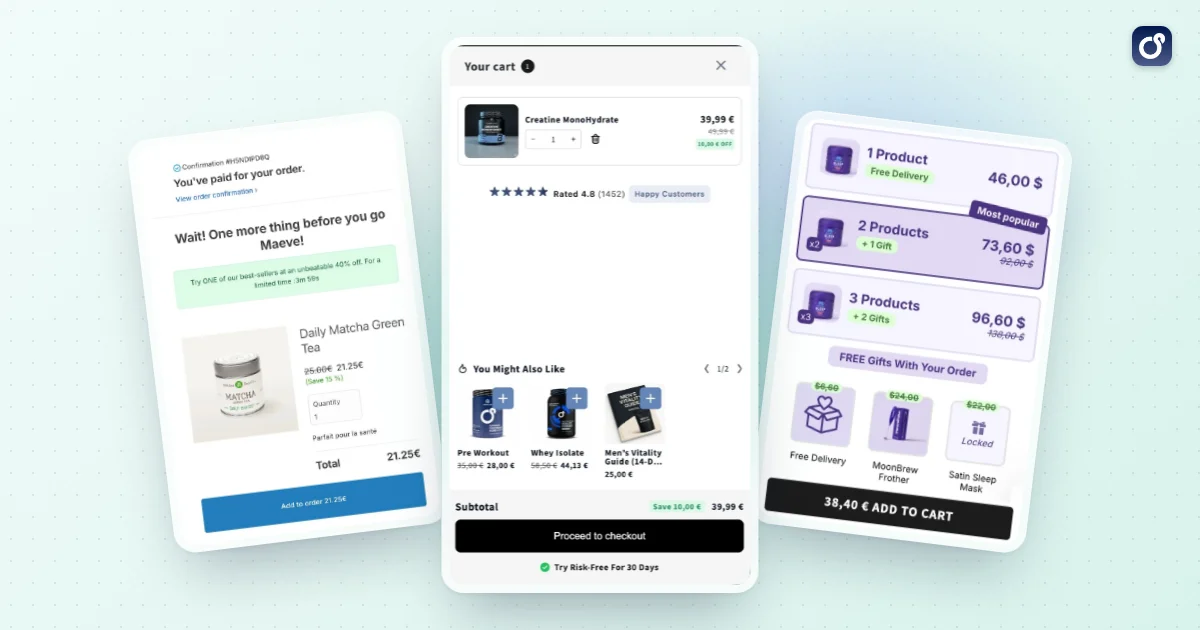
For products people use up, such as supplements, coffee, or basics, quantity breaks are often the most natural cart offer. They reward buying more units at a lower price per unit, for example 2 for one price and 3 for a better one. The volume discounts feature covers how these tiers are set up.
Make the savings clear and easy to compare. If the shopper has to calculate the benefit, the offer loses force. Also check that the discount still leaves a healthy margin.
Bundles and product sets
When your catalog has items that are commonly bought together, a bundle offer in the cart can turn two separate products into one packaged purchase. Bundles work best when the combined value is easy to grasp, such as a starter set or a complete routine. For the full setup, see how to bundle products on Shopify.
Keep the choice simple. One clear bundle suggestion performs better than a menu of several, because the cart is a place for confirmation, not browsing.
Free-shipping and spend thresholds
A progress bar that says how much more to add for a reward gives shoppers a concrete goal. This is especially effective when the gap is small. As an illustration, if shipping is free at $75 and the cart is $62, a $13 add-on feels reasonable.
Set the threshold carefully. If it is too close to your current typical order, it gives little lift. If it is too far above, shoppers ignore it. For help calibrating the number, see this guide to the Shopify free-shipping threshold.
What to avoid
- Offers that are unrelated to the cart contents.
- Upsells priced far above the original item, which can feel like pressure.
- Showing an item the shopper already has in the cart.
- Stacking several pop-ups or banners at once.
- Making the offer look like a mandatory step.
How Do You Measure Cart Upsell Performance?
It is easy to feel good about an upsell because shoppers click it. The real question is whether it produced more profit than you would have earned without it.
Core metrics to track
- Offer acceptance rate: the share of shoppers who add the offered item or accept the upgrade.
- Average order value: total revenue divided by orders, compared against your pre-test baseline.
- Revenue per visitor: captures both conversion and order value in one number.
- Cart-to-checkout rate: shows whether the offer adds friction.
- Conversion rate: confirms the offer is not hurting purchase completion.
- Margin per order: protects you from growth that comes only from discounts.
AOV alone can mislead. If an offer lifts AOV but lowers conversion, revenue per visitor may fall. Always read the metrics together.
Run a clean test
The most reliable method is to split traffic: one group sees the offer, a control group does not. Compare the two over the same period. This isolates the offer's effect from seasonality, promotions, and ad changes.
- Record your baseline AOV, conversion rate, and revenue per visitor.
- Change only one variable at a time, such as the offer, the position, or the message.
- Run the test long enough to cover full weekly cycles.
- Wait for enough orders to make the difference meaningful before declaring a winner.
If your store has low traffic, a simple before-and-after comparison is better than nothing, but treat it with caution. Promotions, holidays, and ad spend shifts can easily distort the result.
Read the results, then decide
Gross revenue from the upsell tool is not the same as incremental revenue. Some shoppers would have bought the extra item anyway. A holdout group helps you separate the genuine lift from purchases that would have happened regardless.
Also watch segments. An offer may work well for new visitors and poorly for returning customers, or on desktop but not on mobile. Segment data helps you decide where to keep, adjust, or remove an offer.
How to Launch and Improve a Shopify Cart Upsell
Start small. A focused first test teaches you more than a complex setup launched all at once.
A simple launch plan
- Pick one goal. Choose AOV, attach rate for a specific product, or a threshold reward.
- Choose one surface. Start with the cart drawer or the cart page, not both.
- Select one offer. Use your best-selling product pairing or most common multi-unit purchase.
- Write a clear message. State the benefit in a short sentence, such as the saving or what the item completes.
- Test on mobile and desktop. Confirm that checkout remains easy to reach.
- Measure for a full cycle. Review the metrics above before changing anything.
Improve step by step
After the first test, iterate in this order: relevance of the product, then the incentive, then the message, then the position. Relevance usually has the largest effect, and design polish matters least when the offer is wrong.
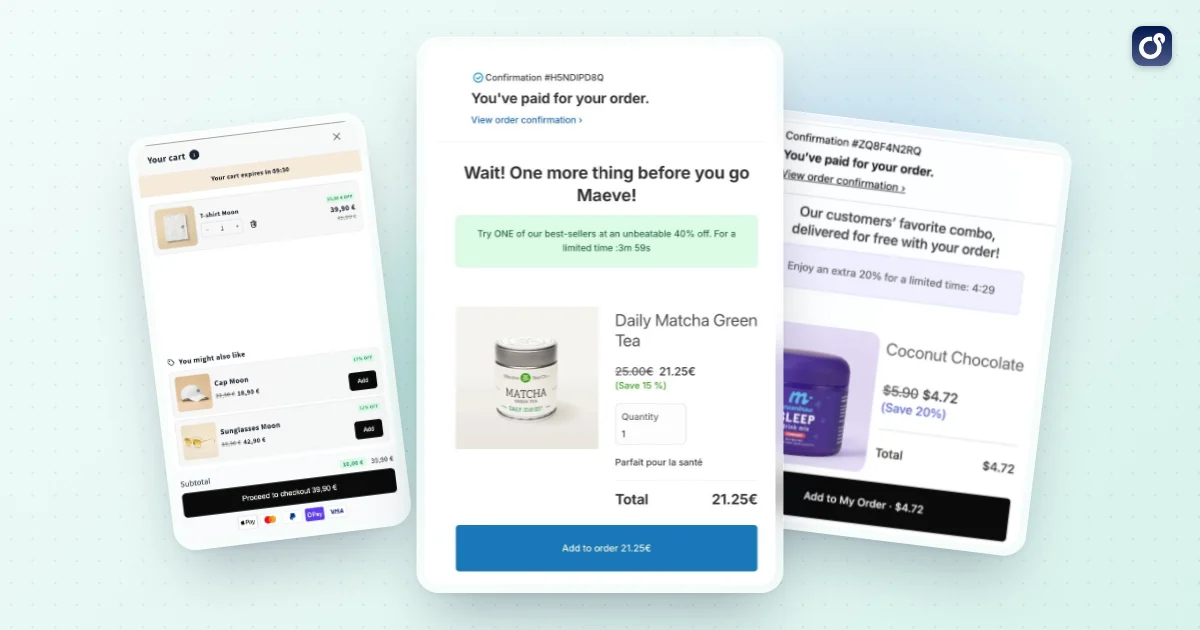
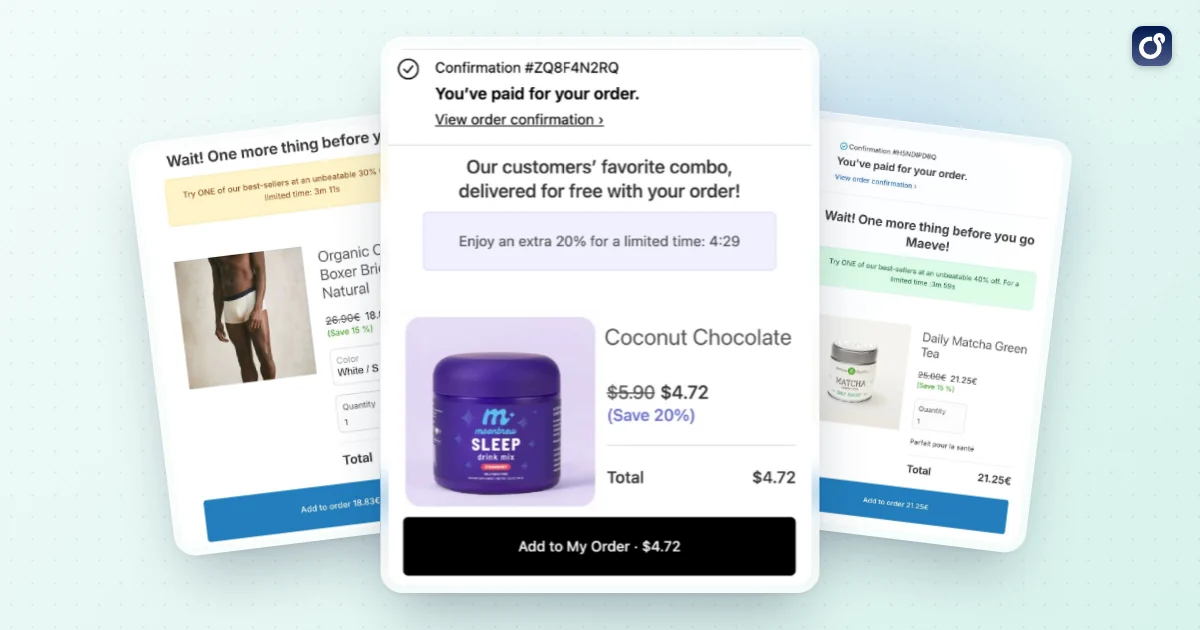
Once the cart offer is stable, extend the logic to other moments. A one-click upsell or a post-purchase upsell can capture shoppers who skipped the cart suggestion, and a bundle on the product page can raise the starting basket. Treat each as a separate test so you know what is working.
Where an app can help
Doing this by hand with theme code is possible, but it gets hard to maintain once you want rules, variants, and testing. Moon Bundles is a Shopify app that combines bundles, volume discounts, free gifts and a cart drawer with cross-sells and free shipping progress, plus post-checkout offers accepted in a single tap. Its AI side is concrete: an MCP connector included in every plan lets you work with the app from assistants such as Claude, and AI agents follow your offers' results and prepare the next tests. See the pricing page for the plans and the 7 day free trial.
Common mistakes when scaling
- Adding more offers before the first one is proven.
- Judging success by acceptance rate without checking conversion.
- Letting discounts erode margin on products that already sell well.
- Forgetting to retest after a theme update, price change, or new catalog launch.
A good cart upsell is relevant, simple, and measured. If you keep those three habits, each new test builds on the last, and the cart becomes a steady source of higher order value.
Frequently asked questions
Can you add a cart upsell to a Shopify store without an app?
Yes. A Shopify cart upsell can be built with custom theme development or added through a compatible app. The right approach depends on your theme, whether you use a cart page or drawer, and any other store integrations. Before choosing, check that the implementation supports your product variants and cart behavior, and test the full path from adding an offer to completing checkout.
How is a cart upsell different from a cross-sell or a bundle?
A cart upsell encourages a customer to choose a higher-value version or upgrade of an item already in the cart. A cross-sell suggests a related product that complements the purchase. A bundle groups products into one combined offer or selection. These approaches can overlap, but they serve different purposes, so label and present each offer clearly rather than treating every additional product as an upsell.
How many offers should a Shopify cart upsell show?
There is no fixed number that works for every store. Start with a small, relevant selection so customers can understand the options without losing focus on checkout. If you test multiple offers, compare their effect on accepted offers and checkout completion, not just clicks. Remove suggestions that compete with one another or make the cart harder to use.
What should happen after a customer accepts a cart upsell?
The cart should clearly reflect the customer's choice, including the selected product or variant, quantity, and updated order total. Make it easy to review or remove the added item before checkout. Test the interaction on mobile and desktop, and confirm that cart contents remain accurate as customers continue shopping or proceed to checkout.
How can you keep Shopify cart upsells relevant to each customer's cart?
Base suggestions on a useful relationship to the items already in the cart, such as compatibility, a needed accessory, or a meaningful upgrade. Exclude products that are unavailable, incompatible, or already included in the cart where appropriate. Review suggestions across different product combinations, since an offer that makes sense for one item may be confusing or unnecessary for another.
Can a Shopify cart upsell use a discount?
It can be configured with a discount if the store's discount setup and cart implementation support the intended offer. Check how the discount appears in the cart and at checkout, and verify that it applies to the correct products and quantities. Explain the offer terms clearly to customers, and test how it behaves alongside other discounts your store allows.